Captive Management Platform: captive insurance software for captive managers
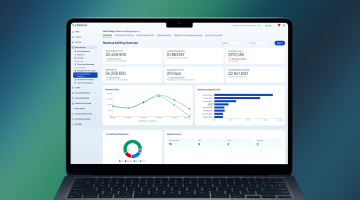
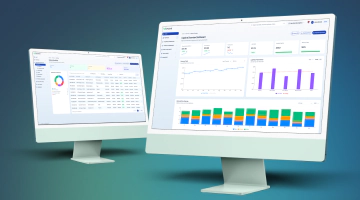
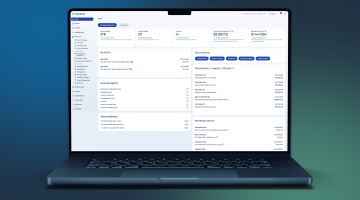
Captive insurance software is a solution that lets a captive manager run the whole book: who is in which captive, on what terms, whose money pays a loss, and where the year ends up. Captive Management Platform is the DICEUS product built for that work, down to the cell.
Book a demo
Who runs on this platform
- Captive management firms
- Group captive program administrators
- Self-managed captives
- Protected cell companies
- Segregated portfolio companies
- Series captives
- Self-insured public entities
- Fronting and program administrators
What a captive manager is actually dealing with
The work is not hard to describe. It is hard to do in a workbook once more than one captive, cell, and treaty year is open at once.
-
01
A workbook for every program
Each captive, cell, and treaty year ends up in its own file, reconciled by hand each cycle.
-
02
Nobody can say whose money paid
A loss crosses several fund layers, and the split is worked out in a spreadsheet after the fact.
-
03
Year-end is rebuilt by hand
Fund analysis, assessments, and distributions are rebuilt from scratch every December.
-
04
Loss runs arrive in every format
Each TPA and carrier sends its own layout, and somebody retypes it.
-
05
Two people hold the knowledge
The method lives in their heads and in named cells, not in a system.
-
06
The board pack takes a week
Figures are assembled from several files, then checked against each other.
Captives, cells, clients, and treaty years
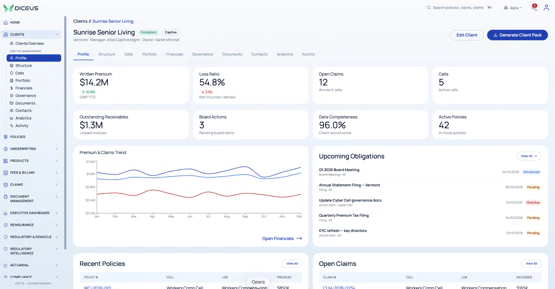
Most systems model policies and clients. A captive needs two more layers above it and one below. The platform is built around captives, cells, participations, and treaty years, so you can always trace a figure to the pocket it belongs to rather than aggregate and apportion it afterward.
Captives and cells
- A registry of every captive you run
- Cell layer, client count, and book size
- Policy book per captive and per cell
- Cells on PCC, SPC, and Series captives
Clients and participations
- A client joins through a participation
- Placed in a captive or a cell
- One client, several cells, counted once
- Custom fields on captives and cells
Treaty years
- Each year holds its own fund tower
- The date of loss picks the year
- A cell’s own tower comes first
- A client stays answerable for its years
How a treaty year runs
-
01
Quote a prospect for participation
-
02
Bind it into a captive
-
03
Record what each client funded
-
04
Issue policies against the year
-
05
Split each loss across the tower
-
06
Import loss runs from TPAs
-
07
Settle the year and distribute
Whose money pays a loss
A loss in a group captive rarely comes out of one pocket. A $300,000 claim can take $100,000 from the client’s own fund, $150,000 from the pool’s, and $50,000 from the captive’s retention. Treat it as one amount, and one client ends up paying for another’s loss, which is what a group captive exists to prevent.
The platform splits every claim across the layers it passes through, on both paid and incurred amounts, and posts each slice separately. This split, called stratification, runs automatically when a payment is recorded or a reserve changes.
-
A Fund
The client’s own money, drawn first. Every A Fund slice posts a fund drawdown against that client’s fund for that treaty year, so the client’s page shows what it funded, what has been consumed, and what remains.
-
B Fund
The pool’s shared money, drawn once the A Fund band is used. It is settled across all of the year’s clients at year‑end, with each client’s share, its own paid B losses, and what a booking would move.
-
Captive retention
The captive’s own loss, above the pool layer. It posts to the claim but draws on no client fund, because this is the money the captive keeps rather than the money a client put in.
-
Excess layer
The reinsurer’s layer. Once indemnity passes the excess attachment, loss‑adjustment expense is shared with the carrier in proportion to indemnity, and the claim shows both shares.
Modules
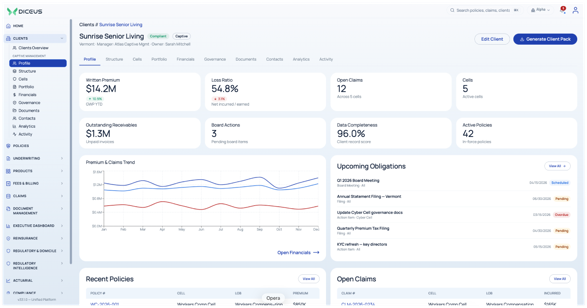
 Clients
Client records, hierarchies, and the participations that place them in a captive
- Client profiles and hierarchies
- Participations per captive or cell
- Fund positions by treaty year
- Fund consumption and analysis
- Client-level access control
 Policies
The policy book of every captive and every cell, in one register
- Policy lifecycle to renewal
- Bulk creation and renewals
- Endorsements and multiple insureds
- Written premium and incurred per policy
- Coverage types from one catalog
 Fund layers
Every loss split across the layers it passes through, automatically
- A Fund, B Fund, retention, excess
- Split on paid and incurred
- Per-occurrence or aggregate basis
- Loss‑adjustment expense pro rata
- Payment refused before it half-posts
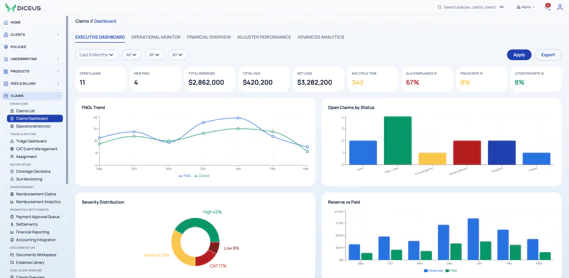
 Claims
Intake to settlement, with the captive’s own dual handling model
- Claims the captive pays directly
- Reimbursement from an underlying carrier
- Reserves by reserve type
- Payments recorded per exposure
- Statutory deadlines by jurisdiction
 Loss intelligence
Loss runs from TPAs and carriers, imported rather than retyped
- Import a loss run file
- Match records to claims
- Loss ratio calculation
- Retro‑premium from imported data
- Re-import, archive, and audit
 Reinsurance
Treaty registers tied to the claims they recover against, year by year
- Program and treaty management
- Contract renewals
- Trust fund tracking
- Claims recoveries and settlements
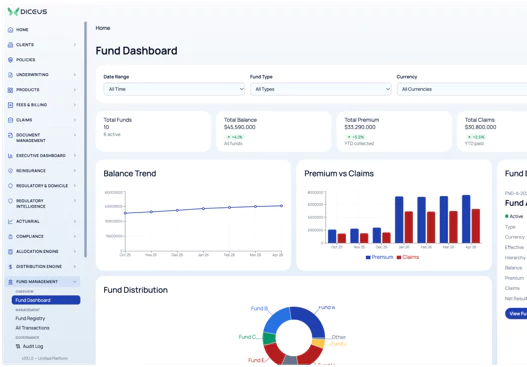
 Funds and year‑end
What each client funded, what it has used, and how the year settles
- Fund positions by treaty year
- Fund consumption per layer
- Year‑end fund analysis
- Assessments and distributions
- Investment income and bank accounts
 Risk pool management
Pooling arrangements held against the treaty year that produced them
- Pool structures per year
- Member shares
- Pool booking at year‑end
 Documents management
Contracts, wordings, and claim files held against the record they belong to
- Variable contract management
- Document templates center
- External document sharing
- Claims file intake
- Version history
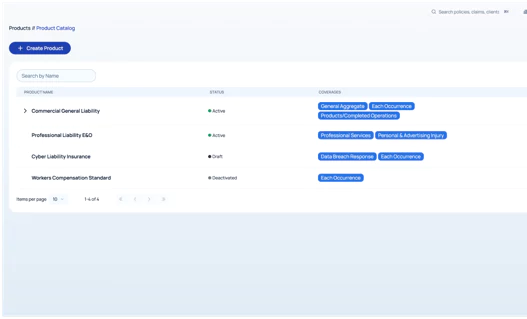
 Products
The product and coverage structures every policy in the captive is written against
- Product setup with configurable coverages
- Rating rules and variables
- Version control before a renewal
- Coverage types from one catalog
 Regulatory and domicile
Domicile obligations tracked on a calendar rather than in somebody’s memory
- Rule library by domicile
- Compliance issues and escalations
- Licenses and capital requirements
- Correspondence register
- Regulatory document repository
 Settings and access
Who can see and do what, across every captive on the platform
- Roles and permissions per module
- Organization-level tenancy
- Custom fields by entity type
- Account mapping rules
- Audit history on every change
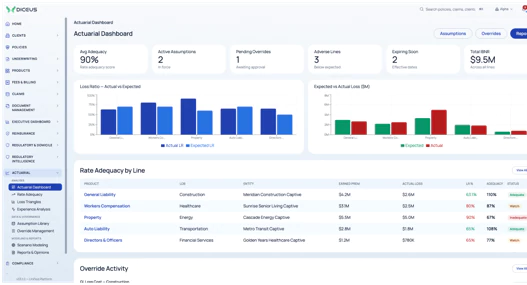
 Actuarial
Rate adequacy, reserves, and the analysis a board asks about
- Loss triangles and experience analysis
- Reserve analysis
- Rate adequacy
- Scenario modeling
- Actuarial opinions
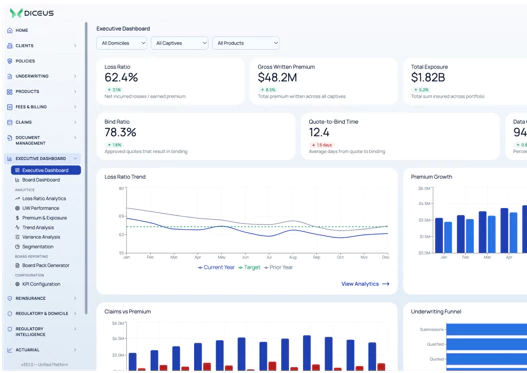
 Executive dashboard
The figures a captive owner and a board ask for, from one record
- Loss ratio analytics
- Underwriting performance
- Premium and exposure analytics
- Profitability by captive and cell
- Multi-year trend analysis
Find the right solution for your needs
What your team can change without a developer
Captive programs vary, and the differences usually lie in coverage structure and billing rather than the core system. These are the things an administrator configures directly, without a developer.
Coverage and limits

- Build a coverage structure without writing code
- Define limit types per product
- Maintain one catalog of coverage types
- Version a product before a renewal cycle
Policy handling

- Issue endorsements against an existing policy
- Add multiple insureds to one policy
- Run bulk creation and bulk renewals
Documents

- Hold wordings in a document templates center
- Generate from a template at issue
- Share documents externally with an audit trail
Data fields

- Add custom fields to clients and policies
- Add them to captives and cells
- Choose the data type per field
- Keep a version history of every value
Billing and fees

- Invoice management fees separately from premium
- Configure installments on an invoice
- Map event codes to ledger accounts
Users and oversight

- Assign roles per module
- Select the organization a user works in
- Review email logs and activity history
What it connects to
-

An integration layer separate from domain logic
-

Secure APIs and defined service boundaries
-

Bulk Excel and CSV import with job status
-

Loss run files from TPAs and carriers
-

External regulator integration for domicile reporting
How this compares with what you have now
Most captive managers choose between four things, and only one is a product you buy.
See how your own captives, cells, and treaty years would sit in the platform
Book a demoFrequently asked questions
What is captive insurance software, and how is it different from a policy administration system?
A policy administration system models clients and policies. Captive software adds the layers above and below them: the captive, its cells, each client’s participation, and the treaty year that holds the fund tower a loss is split across. Without those, a captive’s economics are reconstructed in spreadsheets.
Is this software, or do you manage our captive for us?
It is software you license and run yourself. DICEUS does not manage captives and does not compete with your captive manager. Several of the firms in this market are partners rather than competitors.
We already have a policy admin system. Do we have to replace it?
Not necessarily. The captive layer is an optional module on the same platform, switched on per organization, so the decision is about whether your current system can model captives, cells, and treaty years at all.
How does the platform decide whose money pays a claim?
The date of loss picks the treaty year, the client’s participation picks the captive or cell, and the claim is split across that year’s tower from the bottom up. Each slice posts separately, so the client fund, the pool, and the captive retention are never mixed.
Can we configure coverages and products ourselves?
Yes. Coverage types, limit types, products, custom fields, document templates, and billing rules are all configured by an administrator. Work that genuinely needs development is the exception rather than the routine.
What happens to the loss runs our TPAs send?
They are imported as files rather than retyped, matched to claims, and used for loss ratio and retro‑premium calculation. Files can be re-imported, archived, and audited later.
Does it handle protected cell and series structures?
Yes. Cells can be added to protected cell companies, segregated portfolio companies, and series captives, and a cell carries its own clients, policies, and treaty years where the program runs them that way.
How long does implementation take?
Implementation of a DICEUS insurance software product runs from four weeks to six or nine months, depending on the number of functionalities. The exact timeline is agreed upfront, during scoping, once the module set and the configuration work are known.
Can we run it on our own infrastructure?
The platform is deployed on‑premises, in the cloud, or as a hybrid of the two. The model is agreed during scoping and depends on your infrastructure, data residency, and IT requirements. Functionality and configuration options are the same whichever you choose.